 China’s new 600 kph maglev rail, and what it means for Belt & Road partners
Related Videos














Featured Videos

|
An 11 day trip through YunNan province in the snow ...
Plus, 'Never regret a trip to LiJiang' ...
Includes the nearby Jade Dragon Snow Mountain.
|

|
With Expat Natt ...
Bonus film - ZhuJiaJiao water town, just outside ShangHai (one can travel there by metro) : with Eoin and Aisling ...
|

|
Shangri-la (XiāngGéLǐLā) was a semi-fictional paradise depicted in the book 'Lost Horizon' by James Hilton. This town in YunNan province, with a great likeness to the fictional paradise that Hilton depicted, was renamed from ZhongDian to Shangri-la in 2001.
|

|
Please, wake up - and spread the word, before it is too late.
War - bombs, death, unspeakable atrocities - depends on your acquiescence.
If, there's another war, it's all over, for everyone; there will be no winners this time.
War is burning flesh, skulls ruptured, and children screaming in pain, all dying in the name of supremacy.
Fear those that desire supremacy. We can all see it coming. YOU need to stop this madness. Yes, YOU. The mad men can't do it without fooling you first. Don't be fooled again.
If not immediately vaporized, one will be burned alive and shredded by flying glass and other debris. If still gasping for air, there follows 'nuclear winter' - no sunlight and starvation; a planet poisoned for many thousands of years. This is madness. Stop the madness.
Life should be everywhere, in our galaxy, and beyond, but there's just silence. Need life always end that way ? Are we really going to end it all over skin color or some nonsense 'politics' ?? Even you 'hate China', do you love this world ???
Everything 'you know' is BS - just think about it - don't get hypnotized by 'democracy' and 'human rights' by those who crush them, everywhere, and really seek ultimate rule - it's the new branding for colonialism - don't be fooled - don't be fooled by distractions and words - open your eyes for a different view - we have a common humanity, deeper than any elite's spin - don't be fooled ...
Don't be fooled again - the young deserve a chance to create a better world - say no, to divide and rule ...
The Who - Won't Get Fooled Again ('meet the new war; same as the old wars' - great song) - please, don't blow up this world, don't blow down this life; it's all that we have; let's not go forever silent - no wipe-out ... awesome drumming ...
Bonus films - drums by a young Sina ...
The Surfaris - Wipe Out (with a cool dad) ...
Pink Floyd - Time (featuring Sticky Hickey) - just wow - what a band ...
Metallica - Nothing Else Matters - featuring the very talented young singer Jadyn Rylee (a beautiful love song) ...
So close, no matter where we are. Nothing else matters.
I can only say - don't get fooled again - don't be out of time. No more, hypnotized by lies. Don't get on your knees and pray; speak out; trust not what you believe - trust in who you are - our common humanity - don't get fooled - that's all that really matters ...
|

|
WuHan is the provincial capital of HuBei province in central-east China.
Welcome to WuHan ...
|
|
Wonderful sweeping scenes ...
|

|
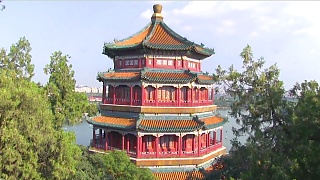
Including the Forbidden City (Palace Museum), BeiHai Park, the Temple of Heaven (TianTan) and the Summer Palace (YiHeYuan) ...
|
|
In 2016, 100 students from low-income Lincoln high school, Tacoma, Washington State, embarked on a journey of a lifetime, following a personal invitation by president Xi JinPing.
Travel expands one's horizons, and creates the real understanding ...
Bonus film - Chinese president Xi JinPing's trip to Lincoln high school in 2015 ...
|

|
With Wei's Travel ...
Bonus film, with Walk East ...
|