Wishing everyone a very happy 2019 - BeiJingBuzzz. Live more !!
Please donate, we really need your help to keep going and to make this site even better - thank you from Panda88 and all the BeijingBuzzz team ...
[640],shadow=true,start=,stop=Live more ...
Happy New Year – 2019 – from BeiJingBuzzz
Wishing everyone a very happy 2019 - BeiJingBuzzz. Live more !!
Please donate, we really need your help to keep going and to make this site even better - thank you from Panda88 and all the BeijingBuzzz team ...
[640],shadow=true,start=,stop=
|
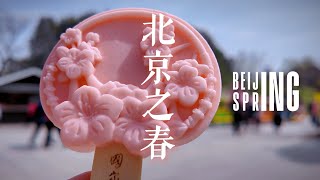
The Purple Bamboo Park (ZiZhuYuan), a national AAAA-level scenic spot, was founded in 1953 and is open to the public free of charge. The park has natural landscaping and lush bamboos, making it perfect for exercise and and relaxation.
The Summer Palace (YiHeYuan), a royal garden during the Qing Dynasty, is located in the western suburbs of Beijing. The Summer Palace is a large-scale landscape garden built around KunMing Lake and WanShou Mountain and based on the design techniques of the south of the YangTze River style gardens. It is also the most complete royal palace garden in China and is known as the "Royal Garden Museum" and is a National AAAAA level scenic spot.
The boat ride along the canal between the two parks (ChangHe River) takes about 25 minutes.
With Seiu Travel ...
|

|
Mr. Q - pure perfection - don't miss it ! ...
|

|
HuNan TV ...
China Central TV ...
|
|
With Walking Vincent ...
|
|
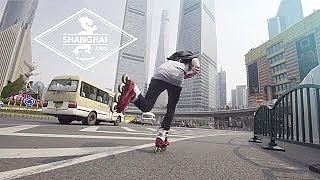
Rollerblading the metropolis ...
|

|
With Jerry Goode ...
Bonus film - "I spent a day delivering packages in China, what can we learn about China's Advanced Logistics?" with Jerry Kowal 我是郭杰瑞 ...
|

|
|
|
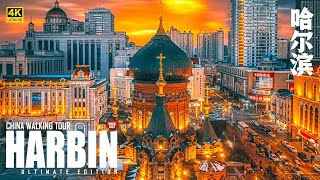
With Walk East ...
|
|
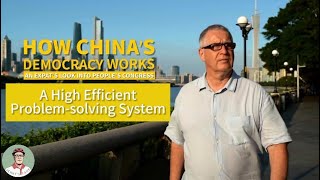
The true measure is : does the government work for the people, or vice versa.
Is it a sham / illusion / deception 'democracy' - elections, where one is forced to choose between elite factions, that are basically the same ideology? 'Pick a card, any card ...'
Or is there a better way based on merit and that is bottom up - a system that truly responds to, and cares for, the people?
With Jerry's Take on China ...
In China, the people are family.
In the West, the people are livestock.
-- Recently, out of the hundreds of countries in the world, three decided to suicide, to serve their puppet masters : the Philippines, Argentina and Italy. Will Taiwan (not a country) be next? Are they Chinese or just fodder on a US missile base ??? --
China has defended itself (hence the Great Wall), but never been expansionist ...
YT comment : George-rj4fj :
"They who point fingers at China, failed to notice the huge expansionism of the Euro-Caucasians throughout the world so that some 2/3 of the world speaks not only English and Spanish but have also been forced into adopting Western cultures, religion, history and clothing. Talk about "cultural genocide"!
They who accuses China of "expansionism" are also ignorant of history. Mongolia and Manchuria became part of China not from Chinese Han expansionism of conquest but because China was conquered by the Mongols and the Manchus and became part of THEIR empires. So too did Tibet when it ran wars into China in an expanding of the Tibetan Empire - and was defeated and absorbed in turn. Chinese culture is an amalgamation of all the different cultures that were absorbed into the greater Chinese diaspora.
They who do not know history and are content in creating their own versions from western propaganda make themselves foolish by opening their mouths on topical subjects that they have absolutely no idea about."
Bonus film - Jerry Grey in conversation with Ben Norton ...
With Reports on China ...
|